
Loading
TEXTURA Media
  • TEXTURA Audio
    • TEXTURA Audio
    • The Writer’s Voice
    • Typisch.Paderbörnsch
    • England – Heute und morgen
    • Interna
      • Ohrlabor Solo (geschützt)
      • Ohrlabor Intensiv (geschützt)
      • Klangfarben (geschützt)
      • Lyrikwerkstatt (geschützt)
      • Mixdown (geschützt)
  • The Producer’s Pit
    • The Producer’s Pit
    • The Writer’s Pit
    • The Writer’s Diary
    • The Writer’s Cookbook
      • Start page
      • Neues Rezept
    • Diario de Duna
    • Just Chords Mirror (2009)
  • Click to open the search input field Click to open the search input field Search
  • Menu Menu
The Producer’s Pit
Uncategorized

Mundgeräusche eliminieren

Die Aufnahmen für meine Beiträge produziere ich meistens spontan. wenn halt gerade Zeit ist. Was auch heißt, dass der Zustand meiner Schleimhäute und Lippen eher weniger kontrolliert ist. Da gibt es dann Schmatzer, Lippenclicks und ähnliche Störgeräusche. Auf dem Markt für VST-Plugins gibt es eine Menge Angebote zum Bereinigen solcher Ausrutscher, wie das RX-100-Paket von iZotope. Sicher sind diese Tools oft effektiver als handgemachte Sachen. In Adobe Audition habe ich die Sache jedoch inzwischen ganz gut in den Griff bekommen. Denn mit einem DeClicker kann man allzu vorlaute Mundgeräusche grundsätzlich in den Griff bekommen. Inzwischen habe ich alle Effekte, die ich regelmäßig benutze, in einer Funktion zusammengeführt.

Schritt 1: Offset aus der Aufnahme beseitigen

Woher die Unsymmetrie rührt, habe ich schon in einem anderen Beitrag erläutert. Diese beseitige ich mit dem Graphic Phaseshifter in Effects -> Stereo Imagery.
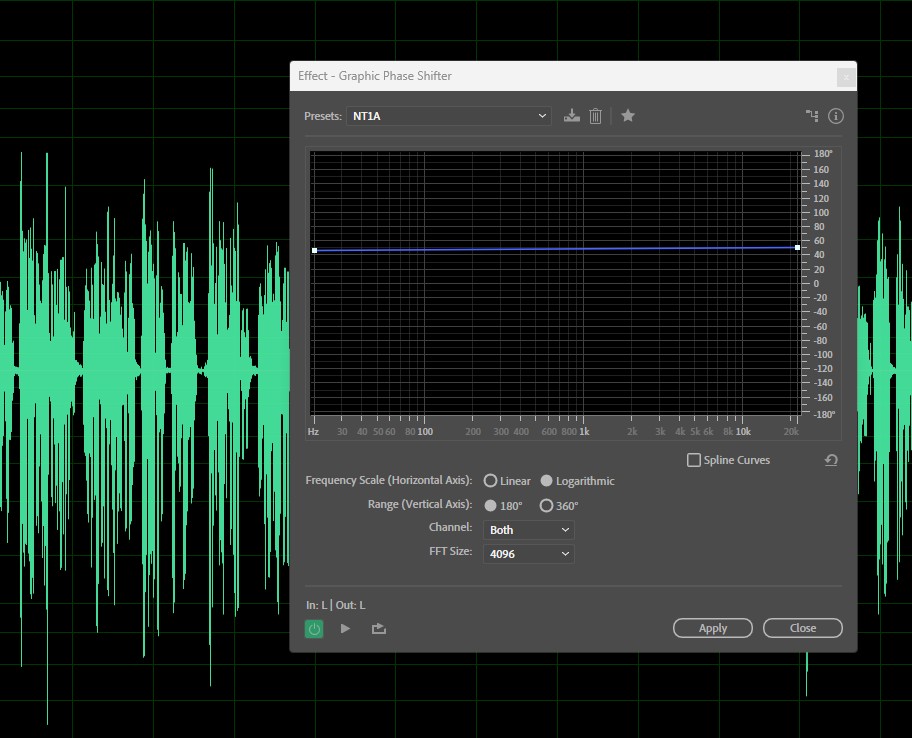
Für das NT1-A und mich hat sich ein Wert von 50 als passend erwiesen.

Schritt 2: Normalisieren

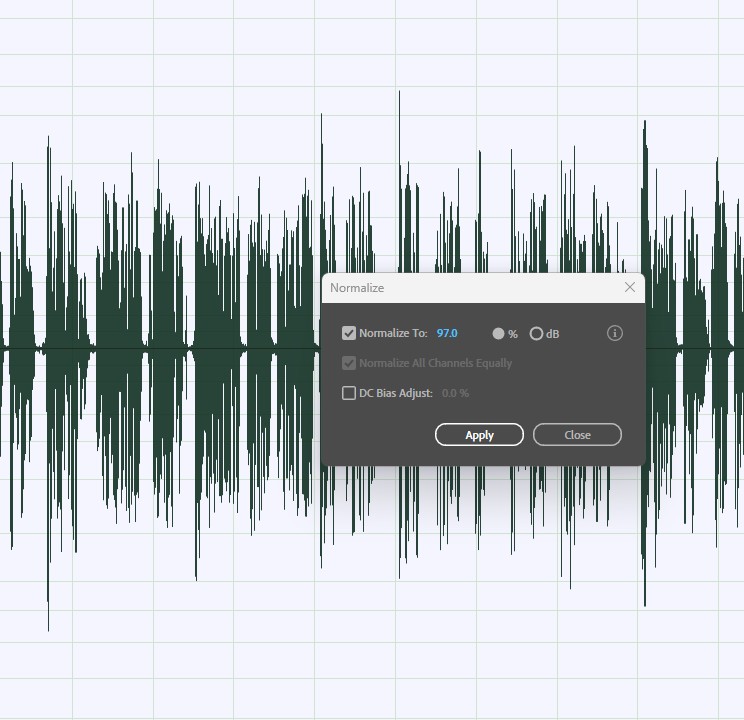
Wie man sieht, ist der Pegel einigermaßen “gerade”. Nun normalisiere ich auf 97%:
Schritt 3: Clicks entfernen

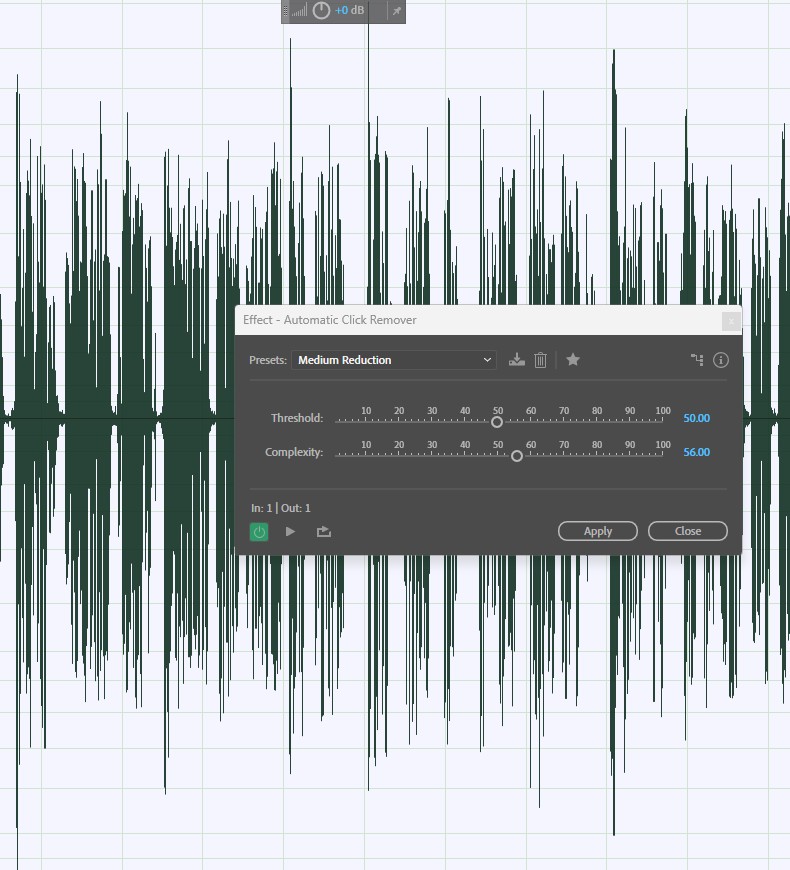
Mit Automatic Click Remover in Effects -> Noise Reduction/Restoration. Ich wähle eine mittlere Empfindlichkeit.
Dazu lade ich eine Aufnahme, starte in Favorites die Aufzeichnung eines Kommandos, führe die drei Aktionen durch und speichere das Kommando entsprechend. Dazu nutzt man Favorites -> Record Favorite. Nach dieser Vorbehandlung ist die Aufnahme sauber und kann zuletzt in der Lautheit eingestellt werden.
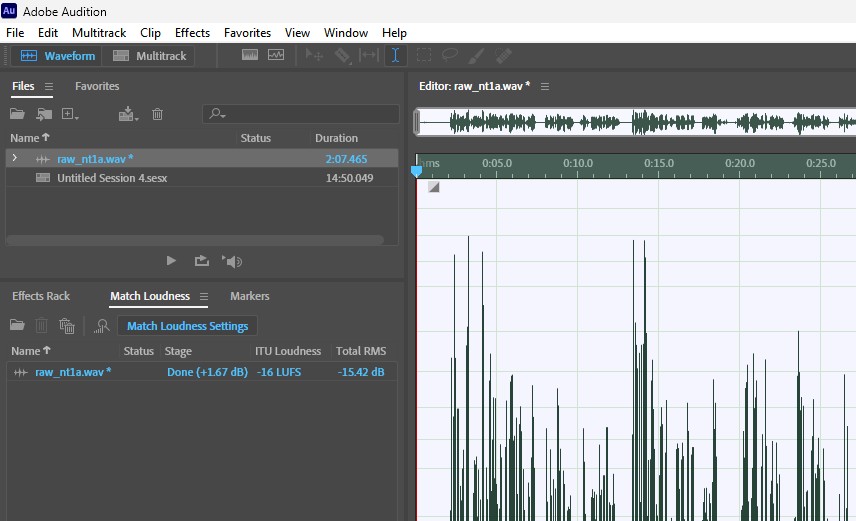
Da man alle drei Vorgänge einmal als Kommando abgespeichert hat, muss man in Zukunft die drei Bearbeitungen nur einmal als Favorite ausführen.
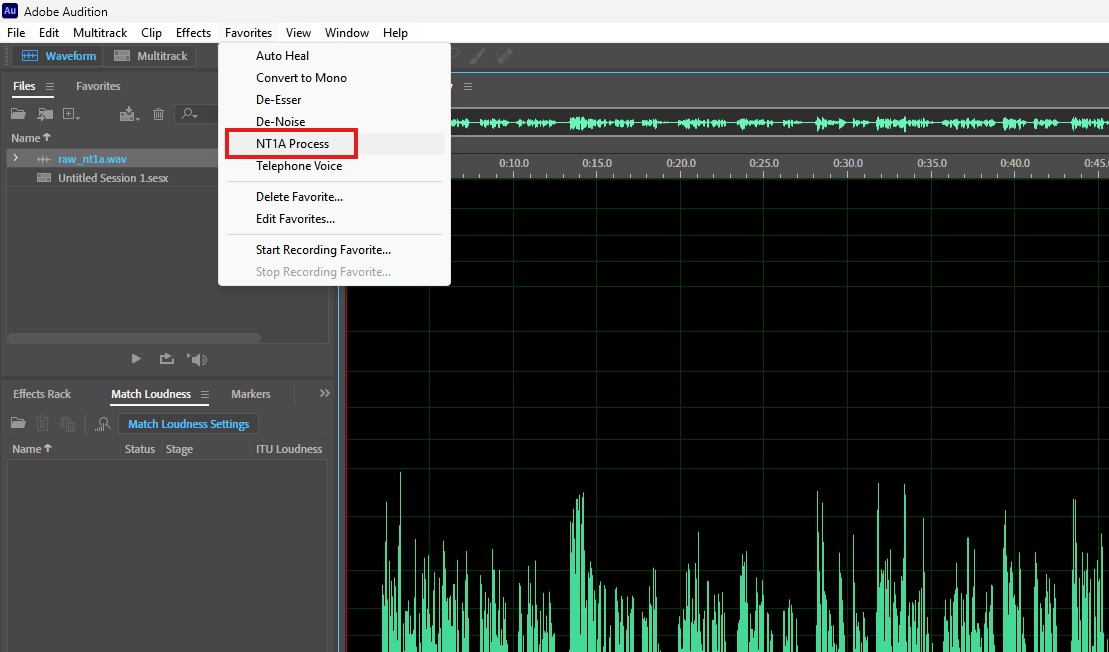
Schritt 4: Alles in einem Rutsch
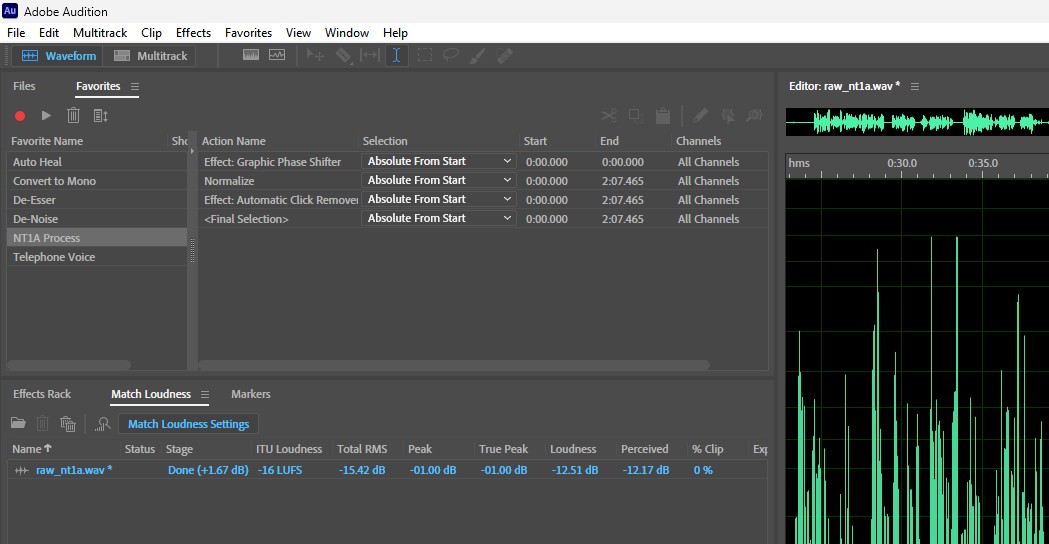
Mit dem vorgespeicherten Kommando und lediglich dem separatem Einstellen der Lautheit (könnte man auch in anderer Form mit in die Kommando-Kette packen) ist die Aufnahme fertig. Für meine Zwecke ausreichend sauber und mit einer Lautheit von -16 LUFS.


01.11.2025
Tags: Audition, Vocals
Share this entry
  • Share by Mail
https://textura.rainerboettchers.de/wp-content/uploads/2023/03/textura-media-logo-only.png 0 0 Rainer Böttchers https://textura.rainerboettchers.de/wp-content/uploads/2023/03/textura-media-logo-only.png Rainer Böttchers2025-11-01 19:41:362025-11-20 17:47:13Mundgeräusche eliminieren
You might also like
Sprechen fürs Lesen
Entrauschen in Adobe Audition
O-Töne für Beiträge
Gleiche Lautheit für Sprache und Musik
Alle meine Mikrofone
Smarter Leben: Die charismatische Stimme
0 replies

Leave a Reply

Want to join the discussion?
Feel free to contribute!

Leave a Reply Cancel reply

Your email address will not be published. Required fields are marked *

Letzte Beiträge

  • Mundgeräusche eliminieren
  • Störfrequenzen in Audition analysieren
  • Eine Podcast-Infrastruktur mit NextCloud
  • Aufnahmen nach Dröhnen analysieren
  • Podcasts mit professionellem Sound, oder wenigstens halbwegs

Tagsonomy

AudacityAuditionPluginsTechnologyVocalsWriting

Suche

Search Search

Archiv

Suche

Search Search
© 2026 - Rainer Böttchers | Impressum
  • Link to Bluesky
  • Link to Facebook
  • Link to Mastodon
Link to: Störfrequenzen in Audition analysieren Link to: Störfrequenzen in Audition analysieren Störfrequenzen in Audition analysieren
Scroll to top Scroll to top Scroll to top

Diese Site nutzt Cookies. Wenn Du weiter die Seite nutzt, gehen wir von Deinem Einverständnis aus.

OkMehr dazu×

Cookie and Privacy Settings


How we use cookies

We may request cookies to be set on your device. We use cookies to let us know when you visit our websites, how you interact with us, to enrich your user experience, and to customize your relationship with our website.

Click on the different category headings to find out more. You can also change some of your preferences. Note that blocking some types of cookies may impact your experience on our websites and the services we are able to offer.

Essential Website Cookies

These cookies are strictly necessary to provide you with services available through our website and to use some of its features.

Because these cookies are strictly necessary to deliver the website, refusing them will have impact how our site functions. You always can block or delete cookies by changing your browser settings and force blocking all cookies on this website. But this will always prompt you to accept/refuse cookies when revisiting our site.

We fully respect if you want to refuse cookies but to avoid asking you again and again kindly allow us to store a cookie for that. You are free to opt out any time or opt in for other cookies to get a better experience. If you refuse cookies we will remove all set cookies in our domain.

We provide you with a list of stored cookies on your computer in our domain so you can check what we stored. Due to security reasons we are not able to show or modify cookies from other domains. You can check these in your browser security settings.

Other external services

We also use different external services like Google Webfonts, Google Maps, and external Video providers. Since these providers may collect personal data like your IP address we allow you to block them here. Please be aware that this might heavily reduce the functionality and appearance of our site. Changes will take effect once you reload the page.

Google Webfont Settings:

Google Map Settings:

Google reCaptcha Settings:

Vimeo and Youtube video embeds:

Privacy Policy

You can read about our cookies and privacy settings in detail on our Privacy Policy Page.

Accept settingsHide notification only